Amazon: Brand Skin AX + CX Enhancement
Advertisers creating, Customers shopping
An advertiser always has a goal of gaining the shopper’s attention (in hopes of selling a product), while a shopper's goal can vary. On Amazon, shoppers are most often visiting the site with a product in mind. Their behavior is utilitarian–running a specific search, adding to cart, and quickly checking out. This challenge is what curated Amazon Stores as part of the advertiser experience.
Amazon Stores gives advertisers the opportunity to enlarge their offering potential; by creating an indulgent e-commerce experience that differs from the search results page, a brand store inspires shoppers to explore more.
The Platform + New Brand Skin Experience
Amazon Stores, as a platform, provide templates of image, video, product grid tiles, etc–creating potential for a brand to build an identity and a way for shoppers to channel their curiosity on brand offerings.
Roughly 65% of Amazon shoppers return to buy branded products they are familiar with. Of that percentage, a good amount purchase similar products within a brand. So, what about emerging brands or emerging products?
This Brand Skin feature will be launching to help advertisers tell their story inside and outside of their Amazon Store–expanding the brand building blocks for advertisers, it will elevate the brand shopping experience for shoppers.
Details
The evolution of the advertiser platform, alongside of the customer experience picked up focus in June 2020.
I spearheaded the UX direction for the Brand Skin project. It is currently in beta and will be slowly phased to display throughout all of Amazon in Q3 and Q4.
To comply with my NDA, I have omitted and obfuscated confidential information in this case study. All information in this project is my own and does not necessarily reflect the views of Amazon.
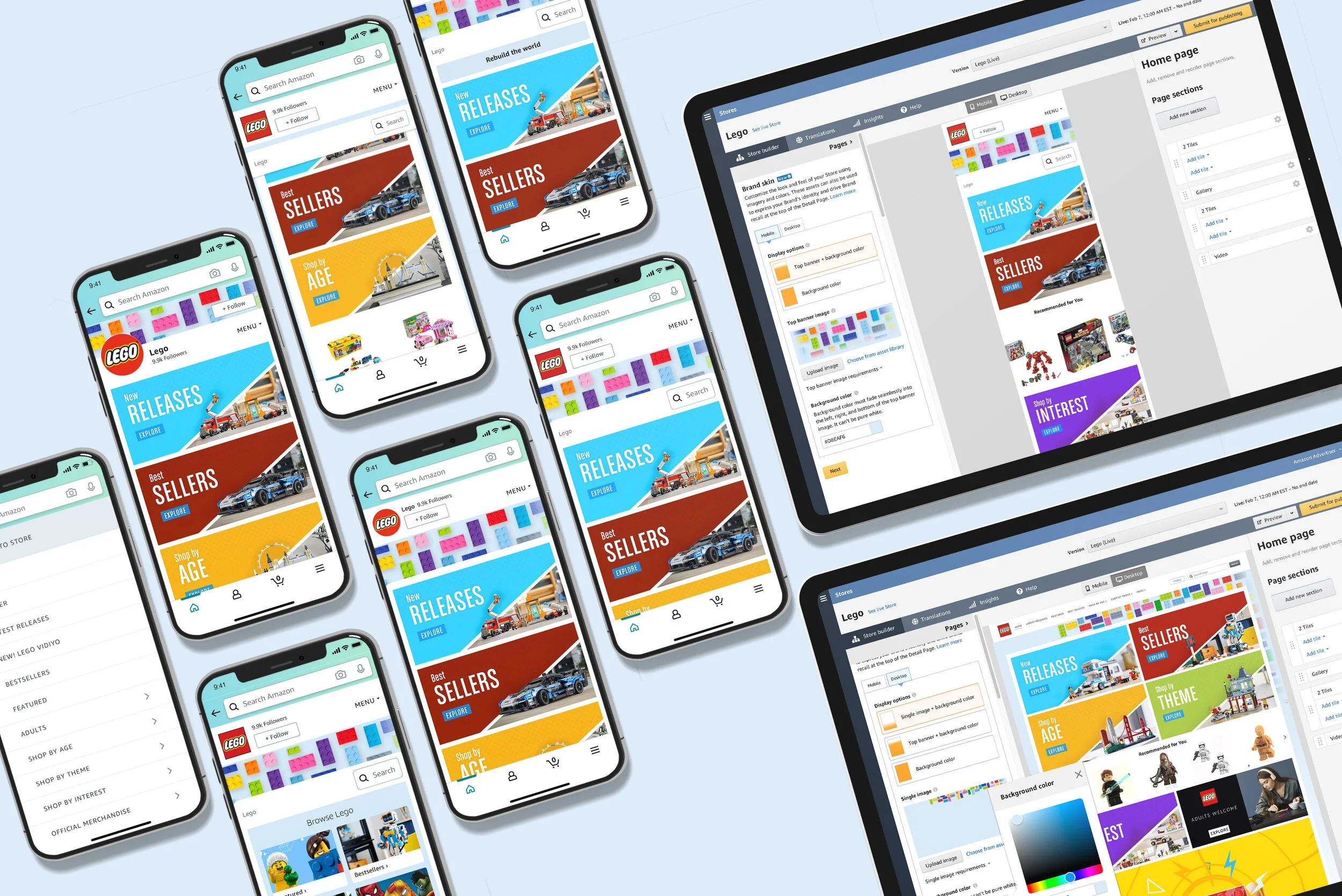
Advertiser Experience
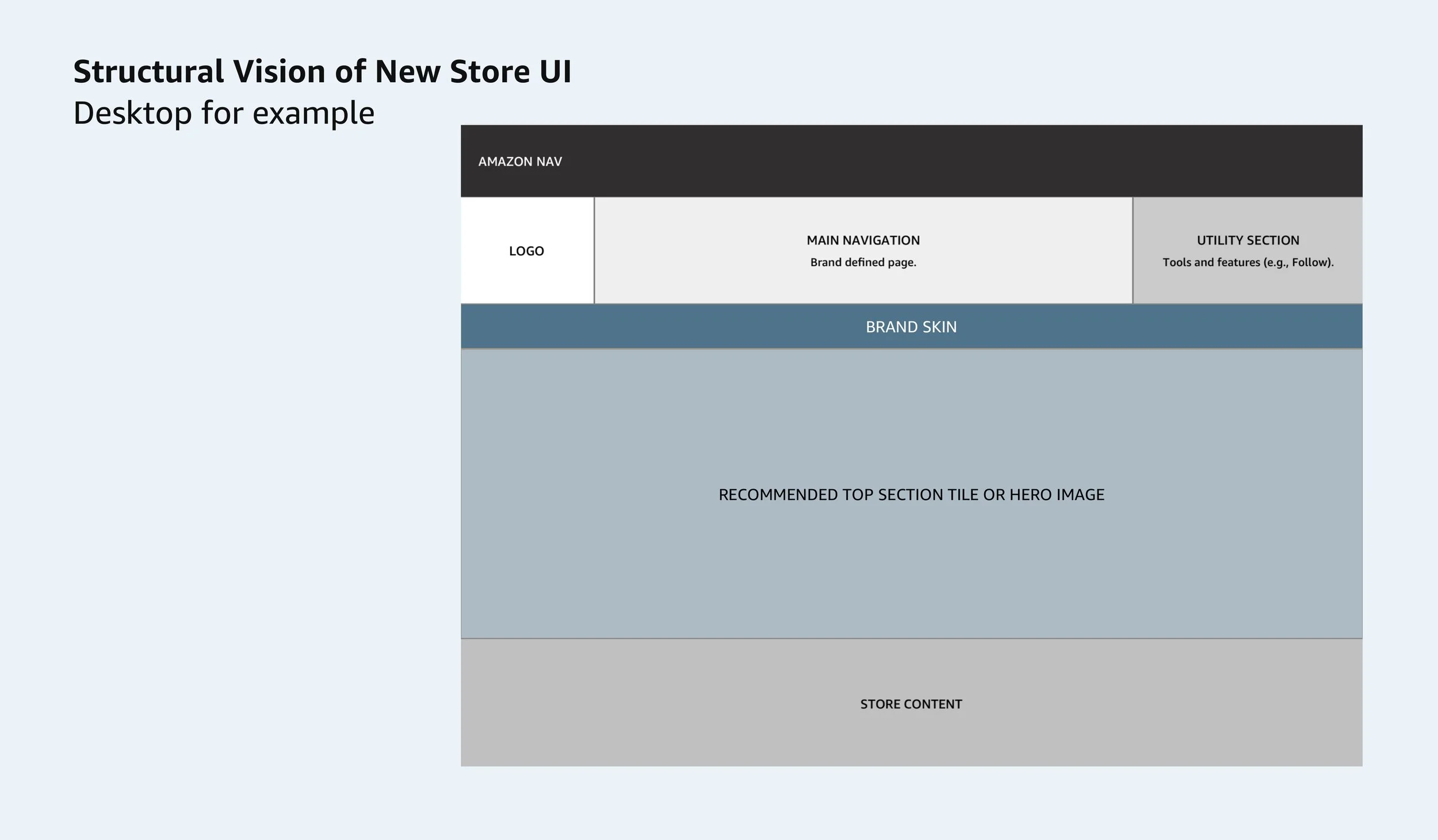
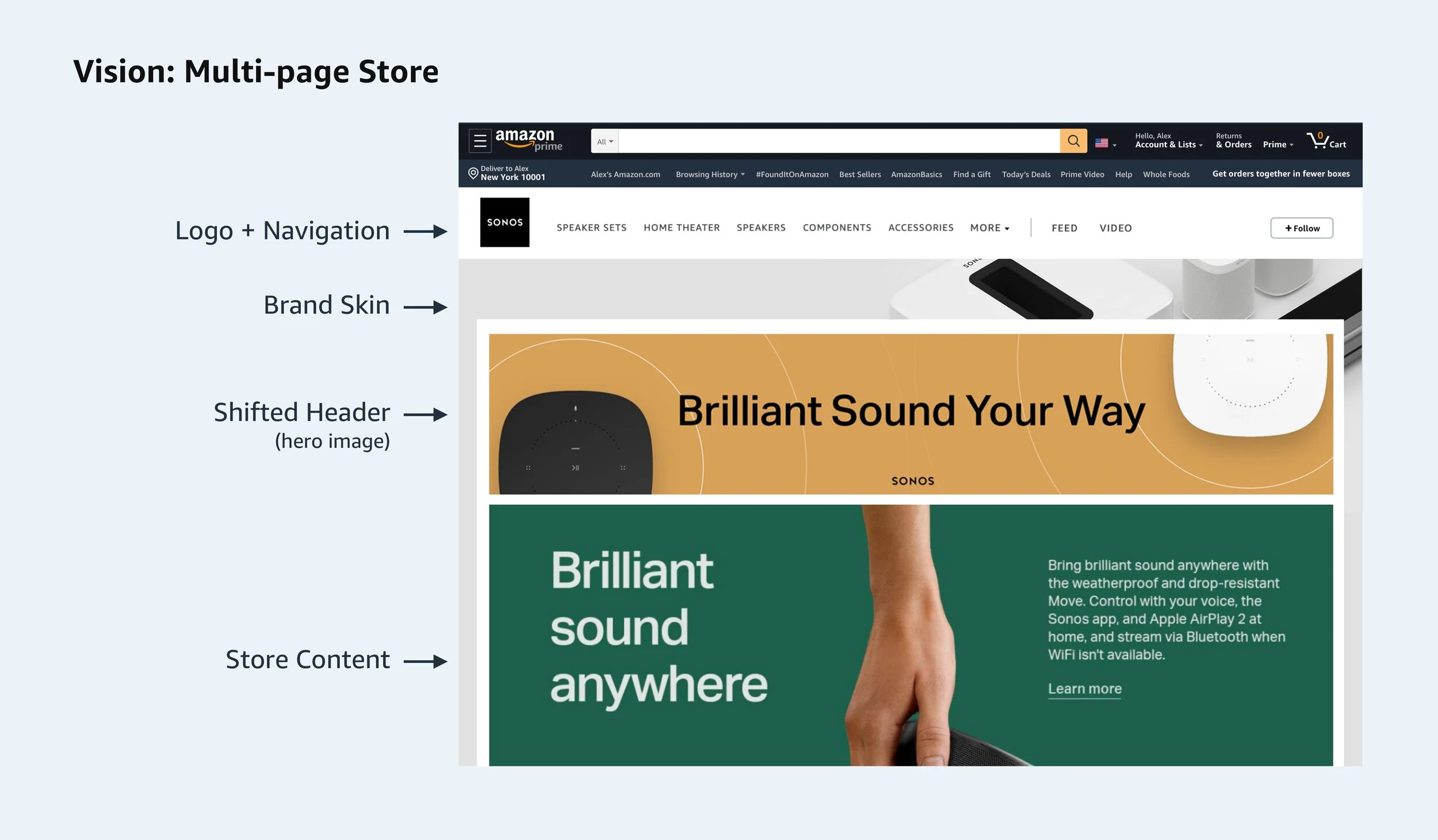
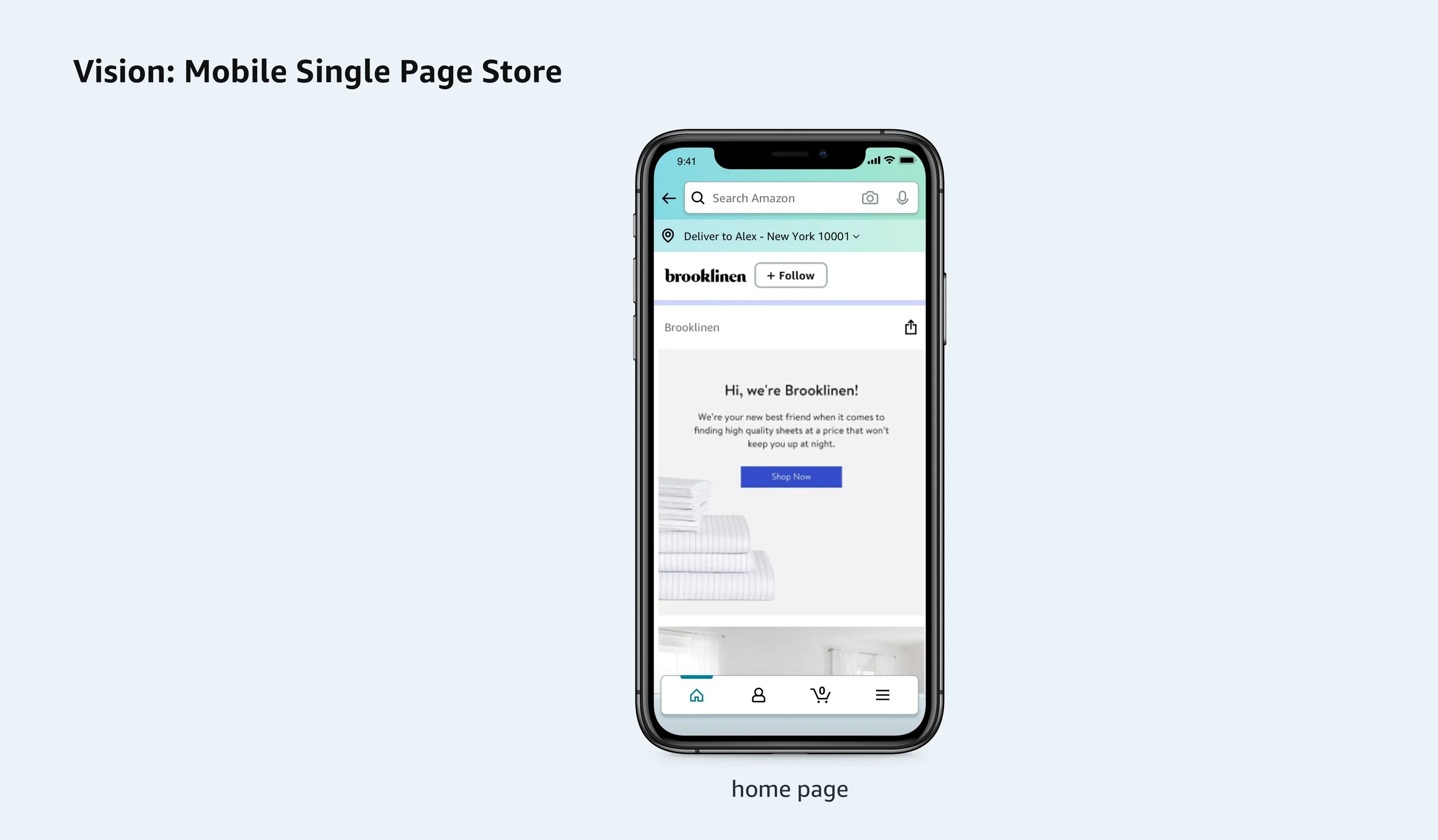
The UX direction of this project had two main priorities: deprecating the header in the current Stores UI and replacing it with a new Brand Skin–this banner like component would display more brand identity through the customer shopping journey, beyond the just Amazon Store.
Before bringing the Brand Skin to the advertiser experience (in the self-service tool) our product team had to gauge the interest and attainability this. We asked brands to manually provide assets that would make up the initial version of this. The excitement, alongside the impressive assets provided returned great adoption on both ends. We were able to run the test with 50 solid brands.
Part 1: Deprecation of the Stores Header Hero Image
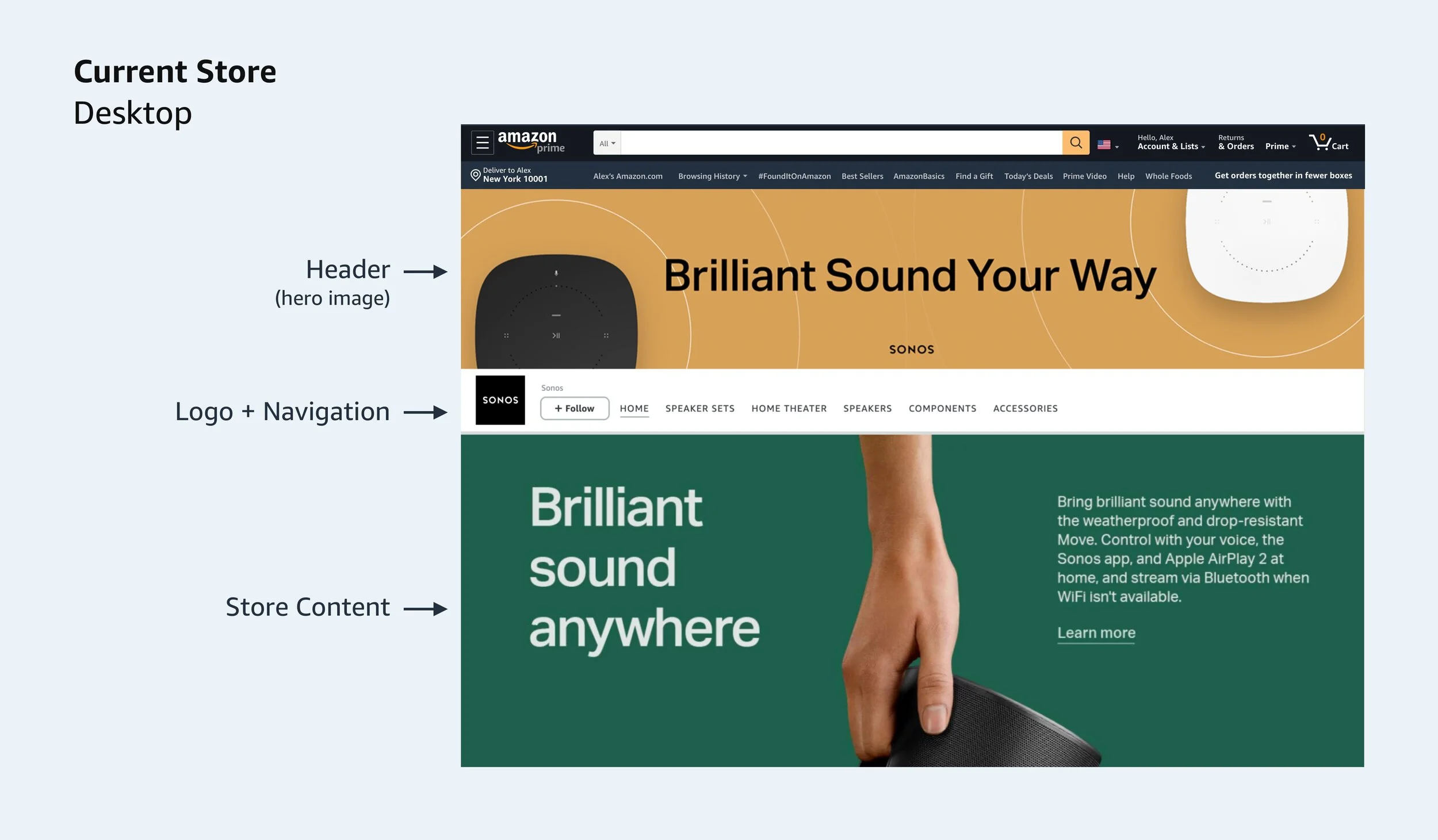
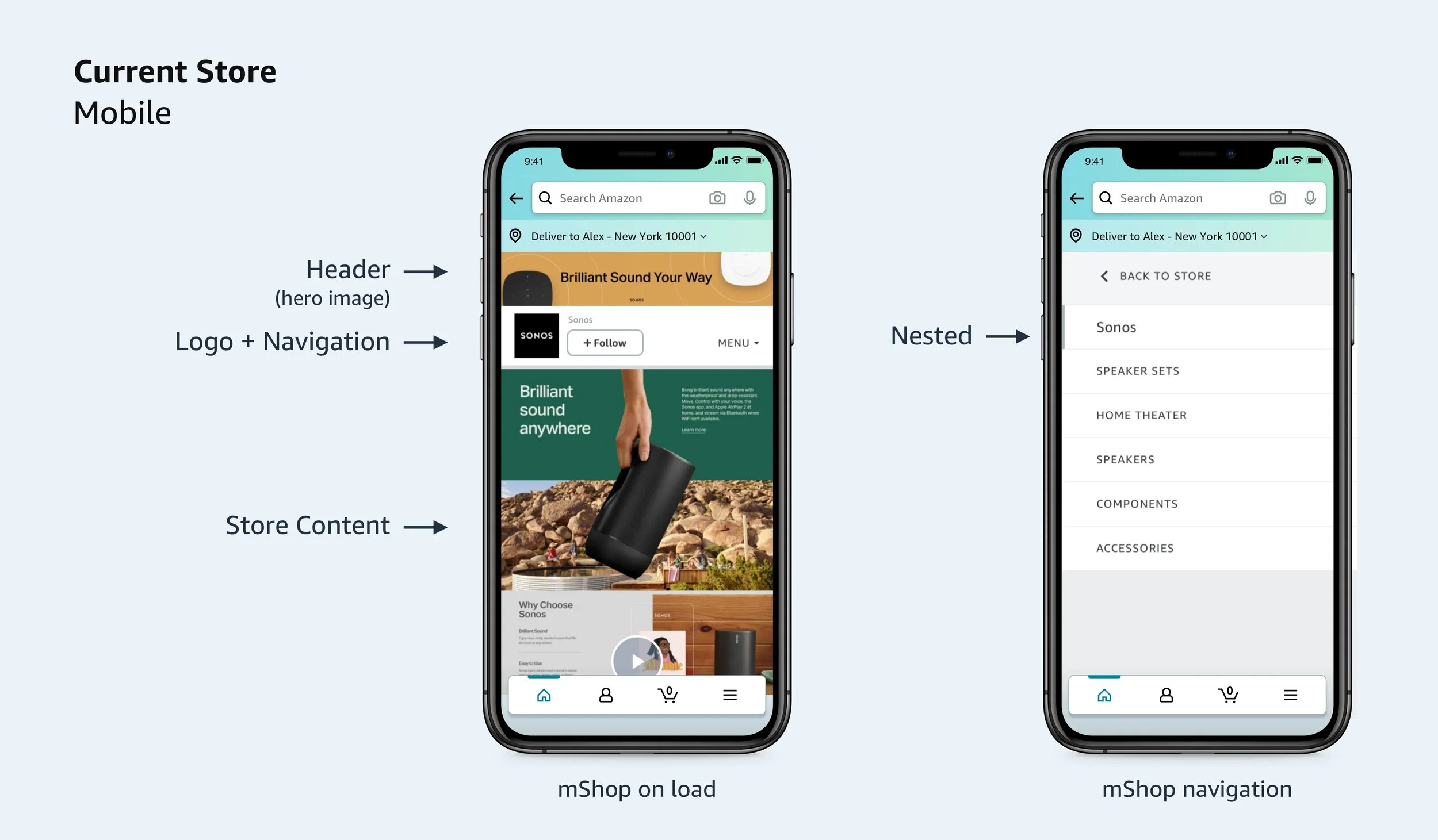
Amazon Stores required a header image–to establish an identity above the navigation bar. Although many brands showcased their logo in the top space, many also used this for specific brand story content.
Going through the existing uses and understanding the goals and real estate of our upcoming Brand Skin, I designed potential solutions of deprecating the header image:
Option 1– Advertisers could shift the header image underneath the navigation bar. The shifted header could be used as image tile in their store–potentially linking to a product detail page or another page in their Amazon Store
Option 2– Advertisers could delete the header image. The deletion would remove it from all pages that it was present on
Part 2: Building the Brand Skin (AX)
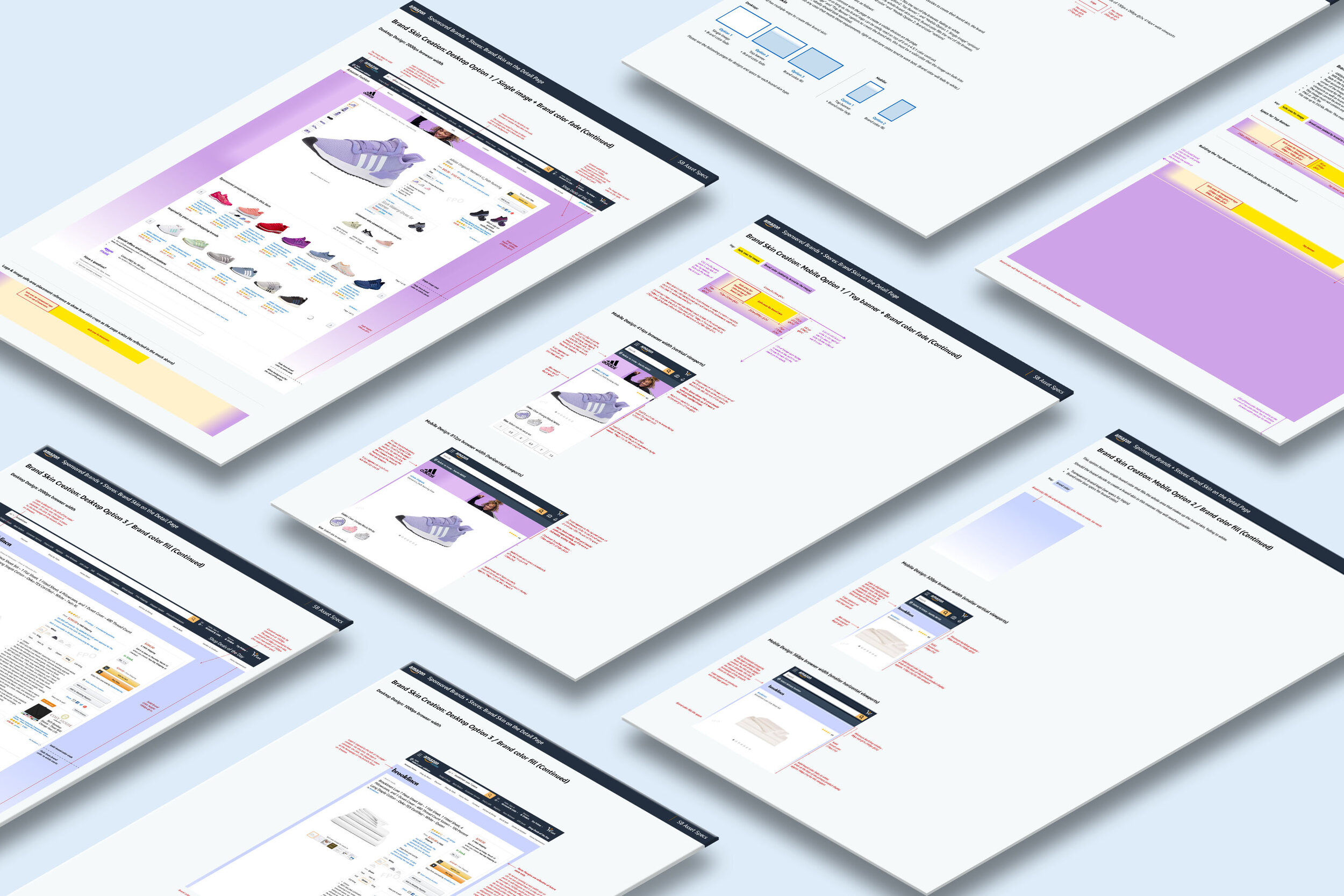
With this deprecation, we were able to create a space for advertisers to “build out” a Brand Skin, but it wasn’t a one size fits all solution. While logos can be glanced over and identified, bringing in a ‘branded skin’ that’s the size of the banner has to be clear with an intention.
As the designer, I had to understand the different potential placements this component would grow to have. There were significant challenges configuring this asset.
I created a plan to offer variants of a Brand Skin. Each option would give the advertiser required assets, so that way they could choose what suited their brand best. These would have the same functional behavior on the shopper side, however the visual display could differ:
Option 1– a single image + background color | Option 2– a top banner + background color | Option 3– a background color
The Brand Skin in the Wild
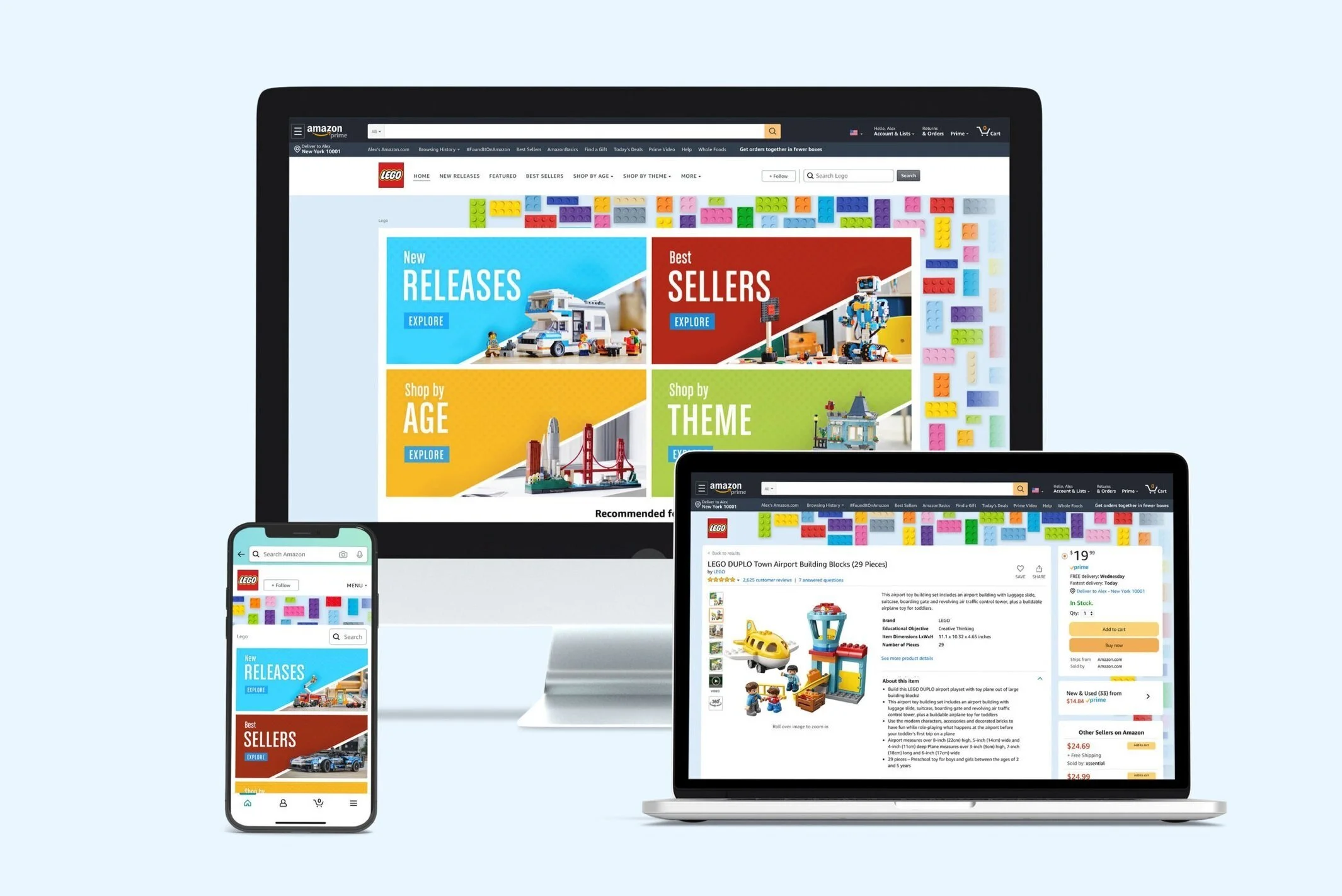
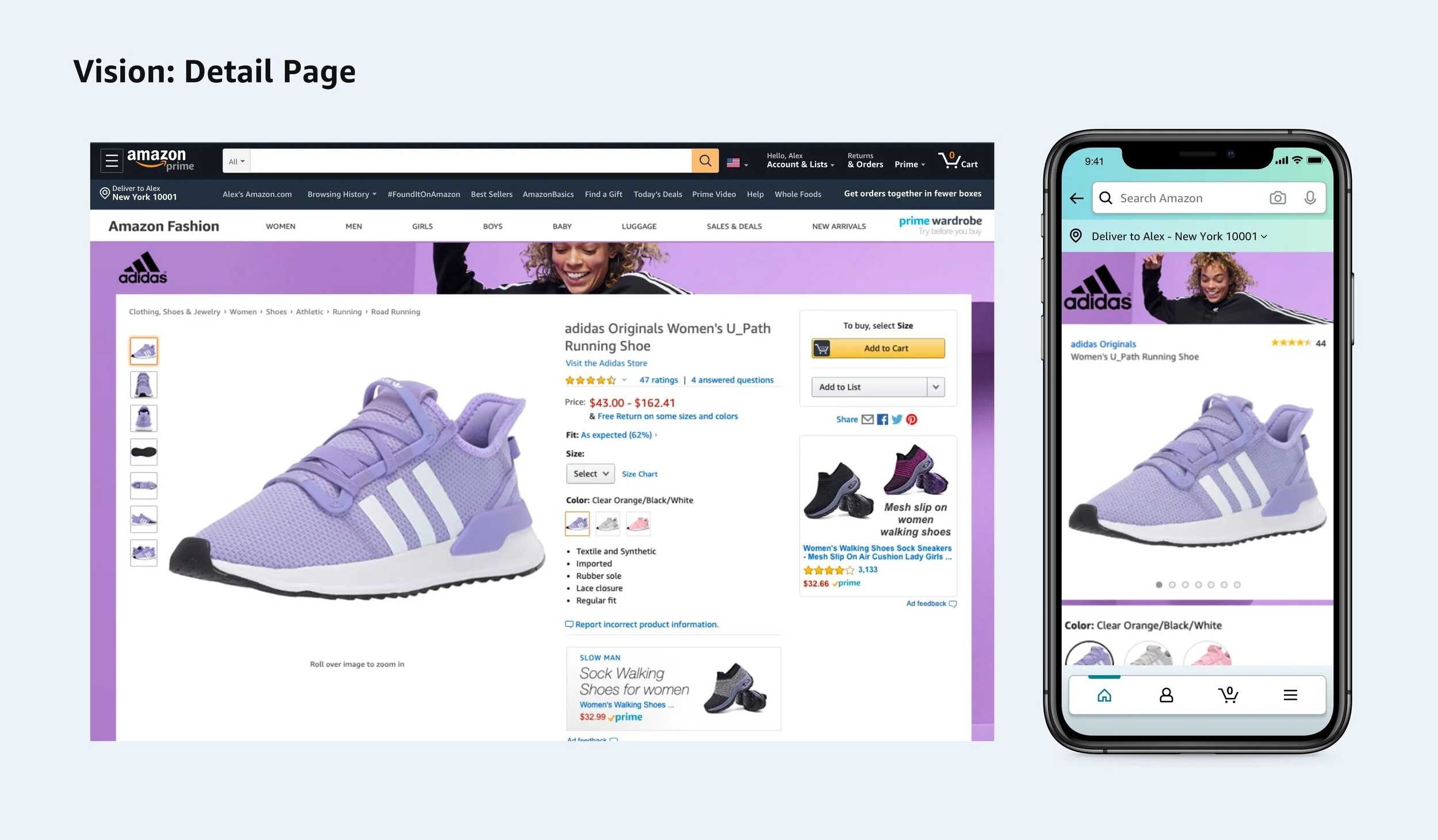
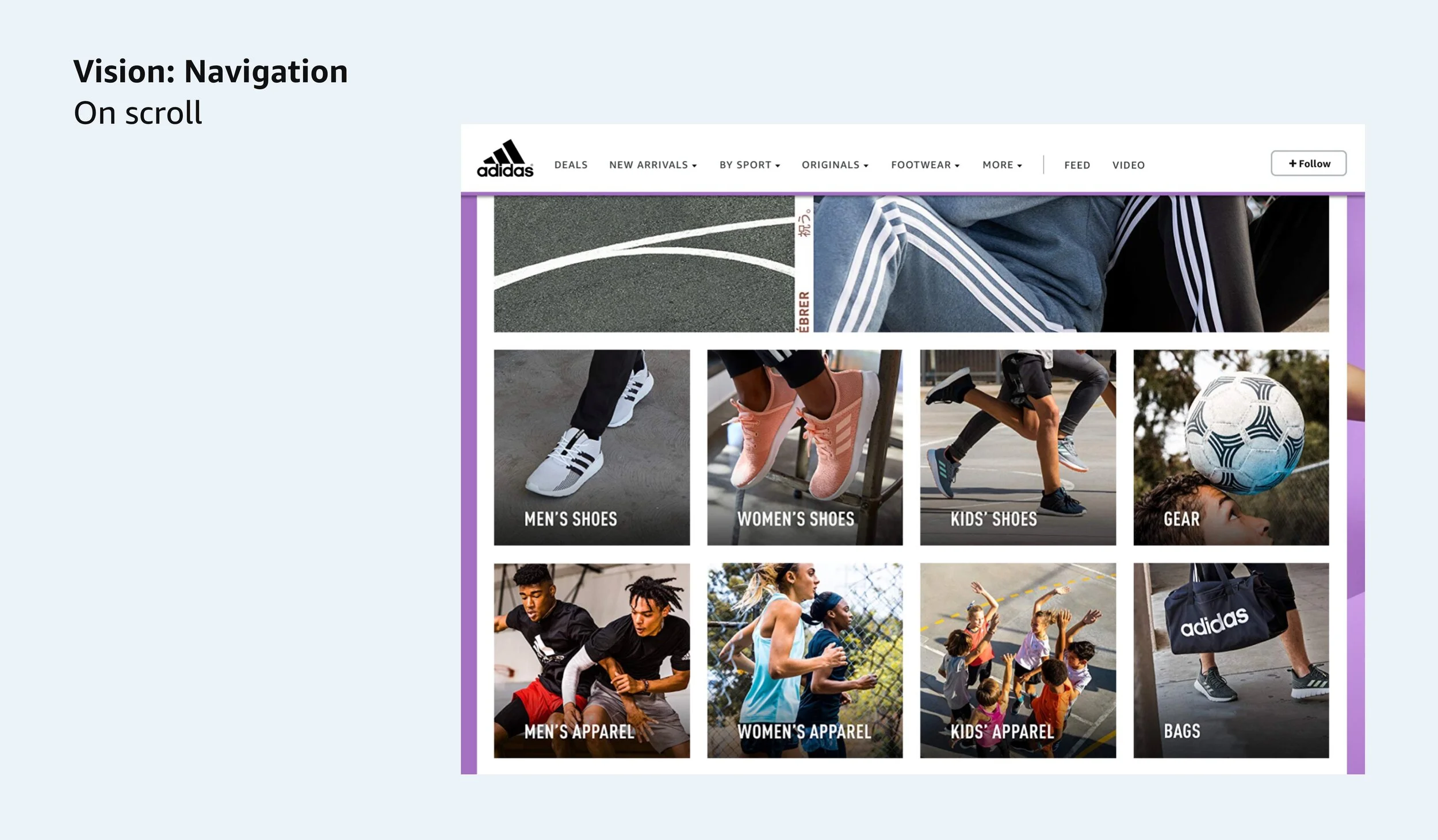
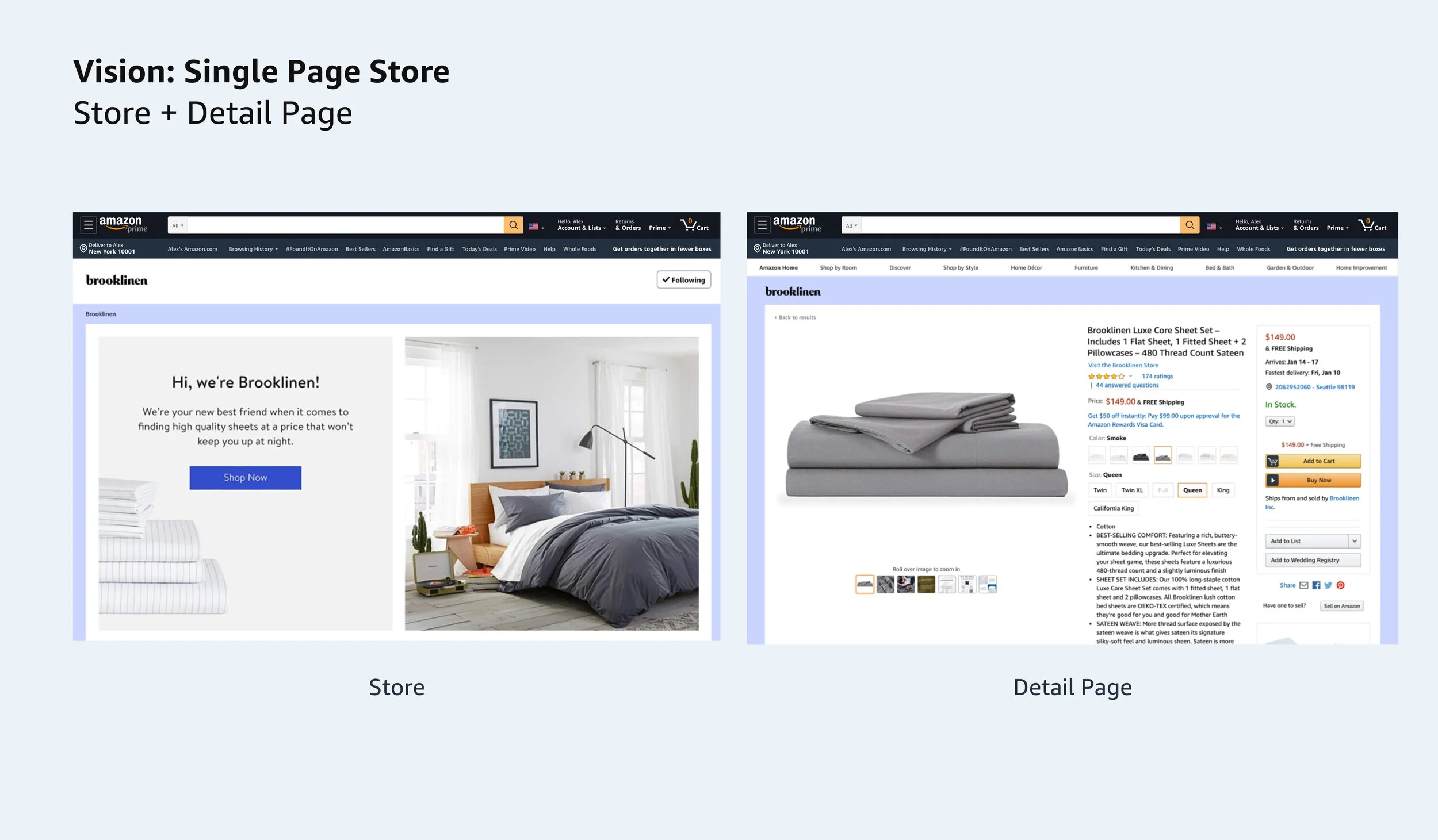
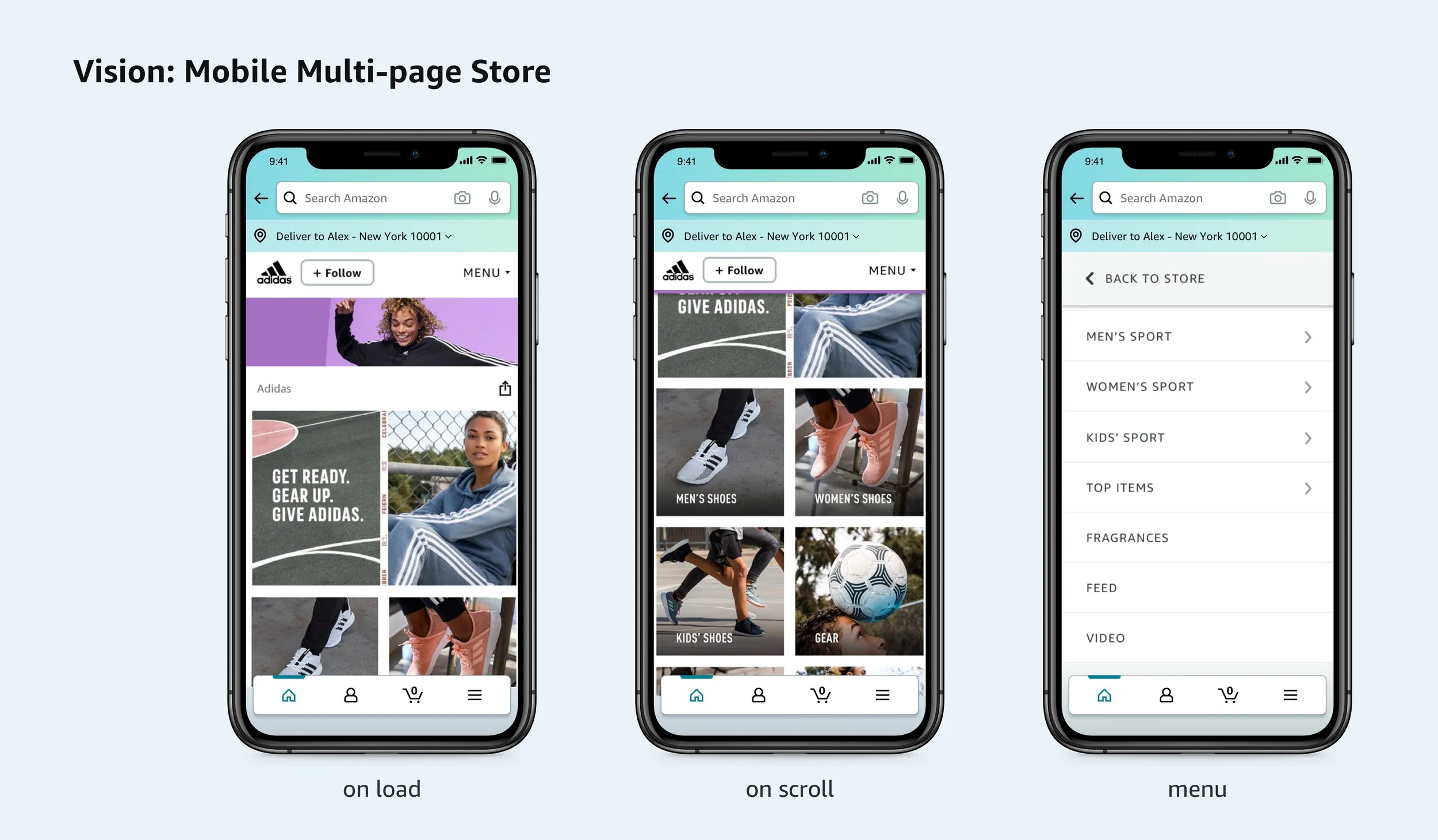
The Brand Skin evolved to frame the content on pages– to drive more authenticity and signposting, helping shoppers connect with these brands whether inside the Amazon Store or on a different brand product page.
Part 1: Deprecation of Stores Header Hero
I knew that one of the business goals was to maintain as much behavior inside the advertiser tool as well as through the CX for easy adoption of the Brand Skin. This had me rely heavily on current Stores data–a login cadence from top 10K advertisers was at 64.6% every 90 days, and shifting imagery on the home page was a normal activity when updating a seasonal version.
While this component was scoped to be the newest brand identity piece inside of Amazon Stores, it also had to communicate the story when placed outside.
With the Product Detail Page as one of Amazon’s highly trafficked pages, we aimed for this placement and approached our partner team. Working with our tenets as well as the Product Detail Page’s I was able to draft a planned design that would not distract from the main goals of either page.
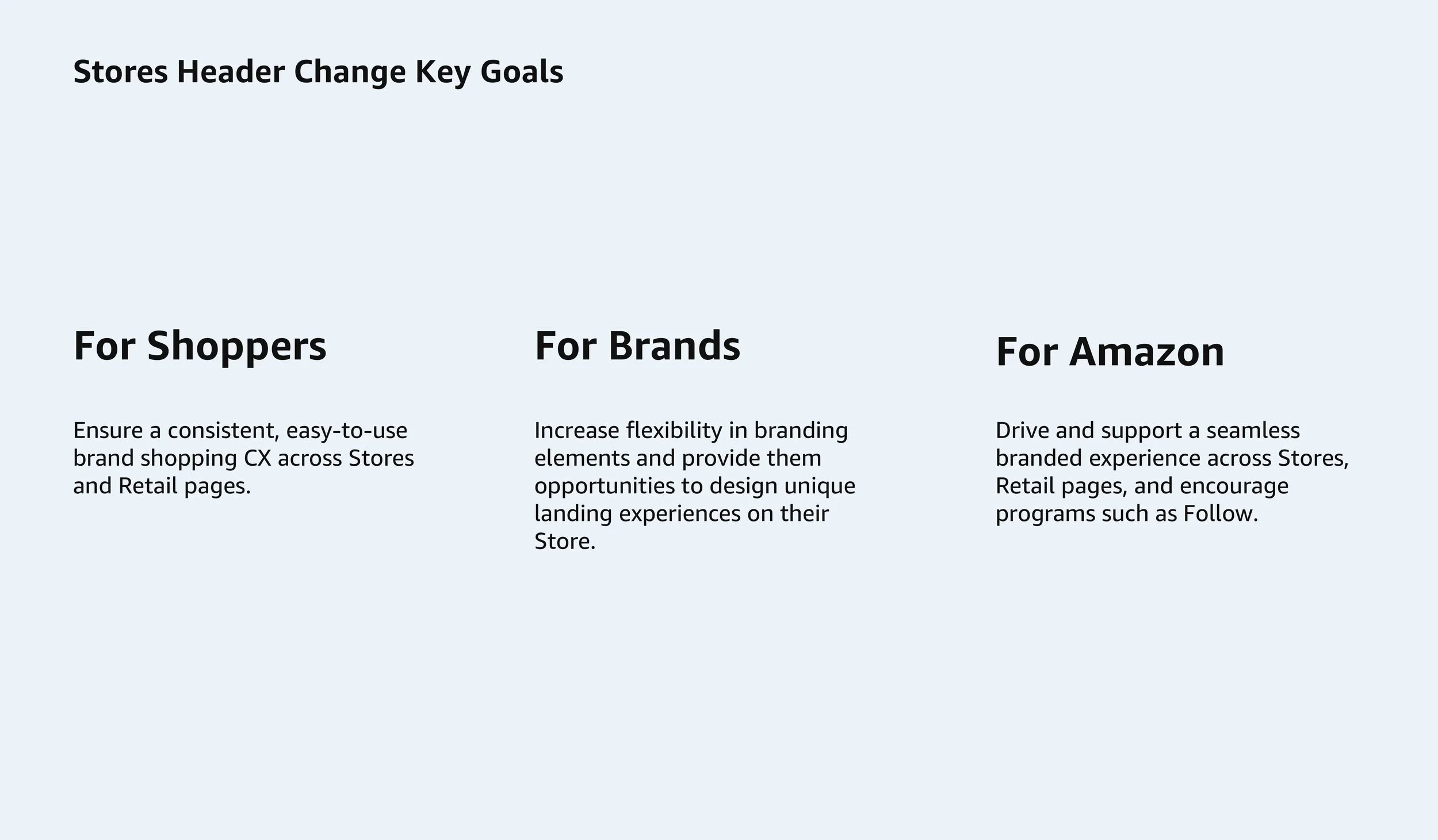
Part 2: Building the Brand Skin (AX)
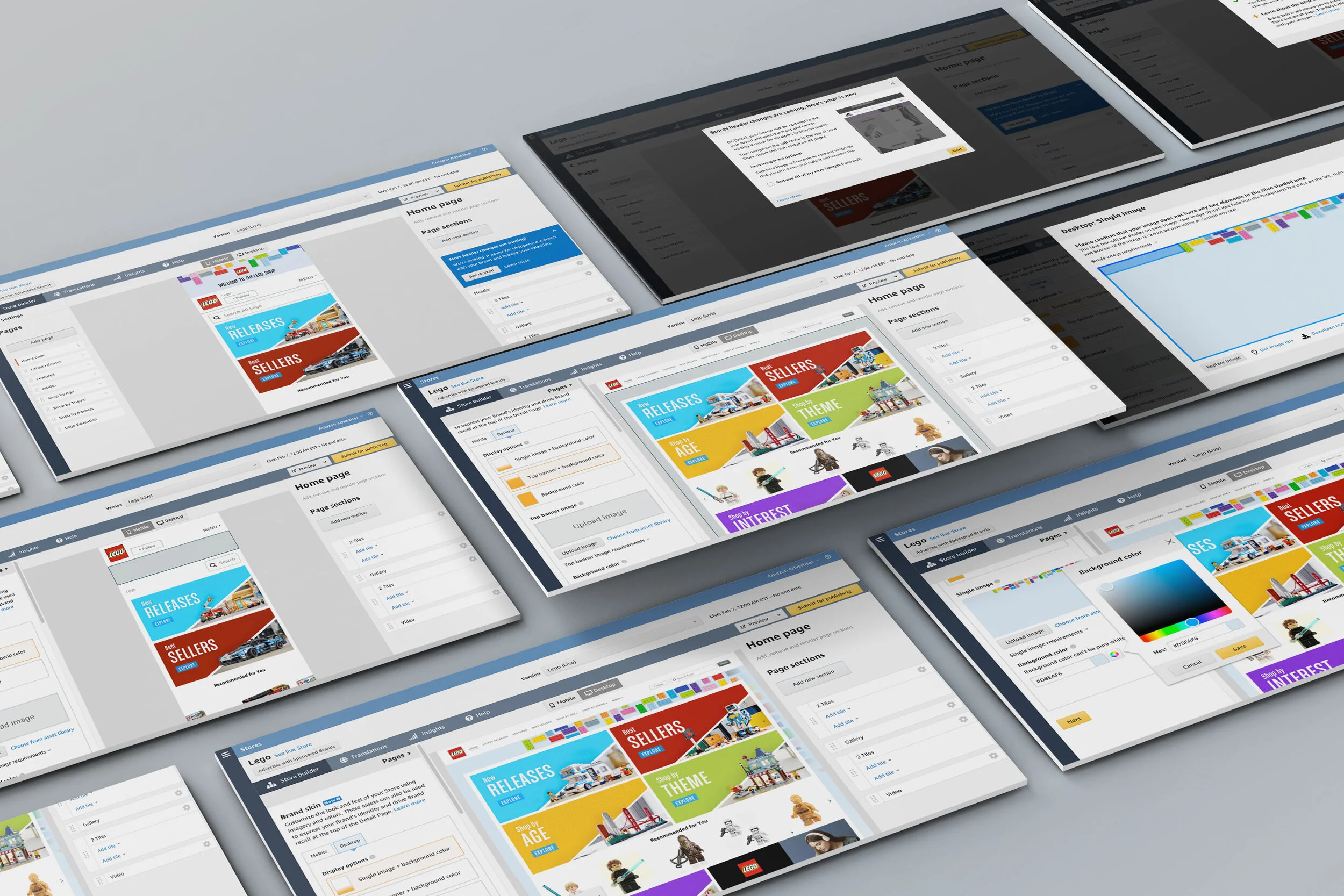
The self-service tool that Amazon Stores’ advertisers use houses brand settings, the store builder, and insights. Each of these processes occur through a flow that is built in tabs and panels.
Understanding the placement and messaging to implement the versions of the Brand Skin took researching other platforms and studying how advertisers for Amazon were generally notified on large new features.
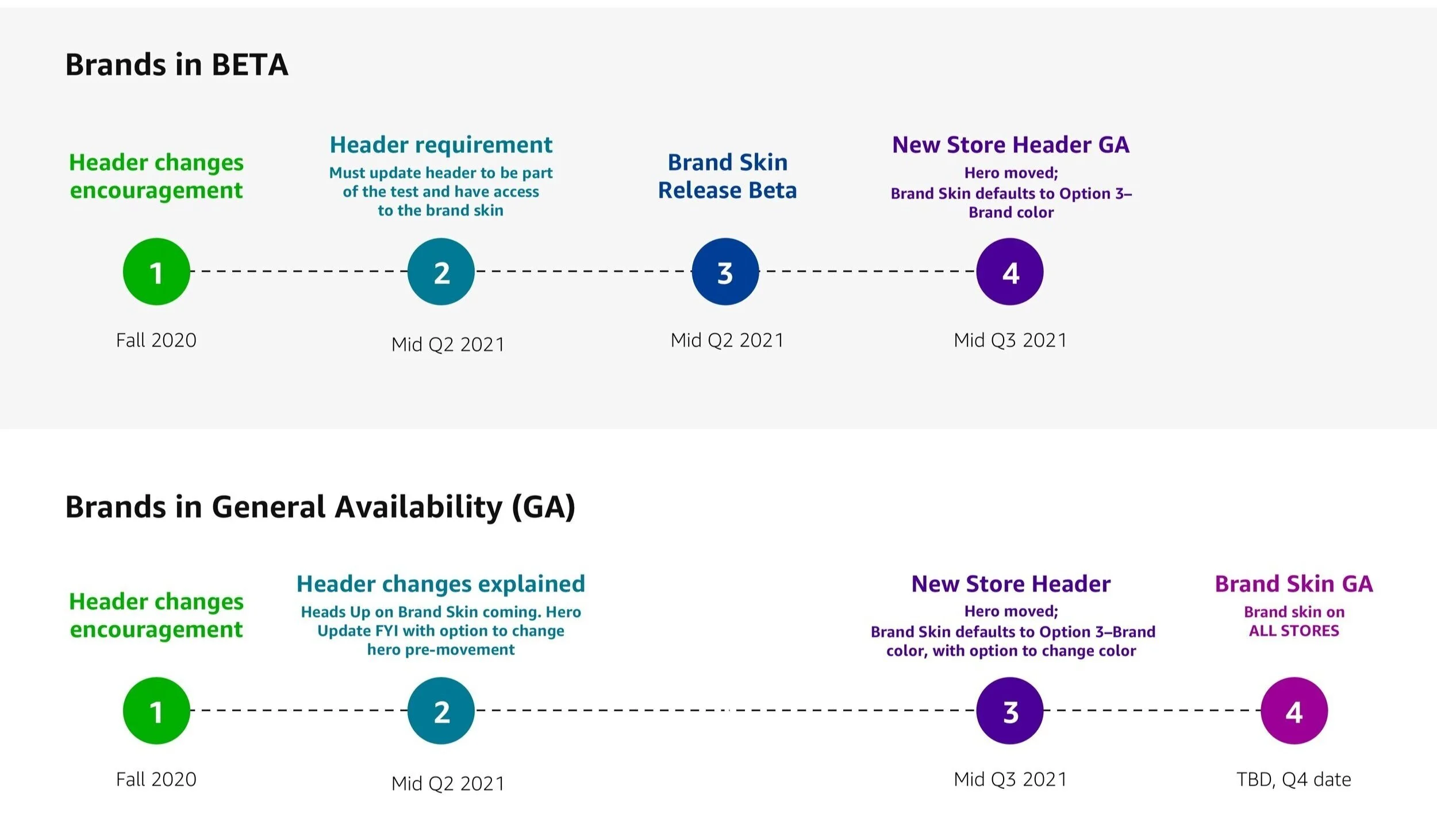
With many tested UI’s and a phased release, we were able to curate a smooth transition for brands to build this out for an experience inside and outside of their Amazon Store.
Phase Map of the Brand Banner Release
What I learned through this
Your feature is what your UX is
In long term visionary work, never compromise on the UX at any point along the way. Thinking through both sides of the design solution (AX + CX) will allow for a successful launch and performance (for this Brand Skin).
Curating a design that scoped for future use case placements was challenging, but realizing a ‘one size fits all’ did not apply helped to think about scaling. With this variant approach, the Brand Skin will create a strong foundation for the shopper to understand a brand and additional products or details associated with the brand on Amazon.